As a creative professional, I’m always looking for ways to leverage my skills into sustainable income streams. A few years ago, I noticed a seismic shift in the design world: small businesses, entrepreneurs, and content creators all needed high-quality graphics, but not all of them had the budget for a custom designer. The solution? Canva. And for designers like us, the opportunity is in creating and selling Canva templates. It’s a business model I’ve explored deeply, and it offers an incredible path to passive income, creative freedom, and a scalable business.
If you have an eye for design and a desire to build a business from anywhere, you’re in the right place. This isn’t just about uploading a few designs; it’s about building a brand and a product line that solves real problems for your customers. In this guide, I’ll walk you through the exact steps I’ve used to successfully sell Canva templates, from finding a profitable niche to marketing your creations.
Why Sell Canva Templates? The Untapped Potential
Before we dive into the ‘how,’ let’s talk about the ‘why.’ The demand for digital templates is exploding. Think about it: every day, thousands of people need social media posts, presentations, ebooks, wedding invitations, and business cards. Canva has empowered them to create these assets themselves, but they still need a starting point—a professionally designed, easy-to-edit template. That’s where you come in.
- Low Startup Costs: You don’t need a warehouse or inventory. Your primary tools are a Canva account (the free version is often enough to start) and a platform to sell on.
- Passive Income Stream: The beauty of a digital product is that you create it once and can sell it infinitely. While marketing requires ongoing effort, you’re not trading time for money with every single sale.
- High Demand: The market is vast and diverse. From real estate agents to wellness coaches to Etsy sellers, countless professionals rely on templates to maintain a polished brand presence without breaking the bank.
- Creative Fulfillment: This is a chance to do what you love. You get to design, experiment with styles, and see your work help others build their own dreams.
A Step-by-Step Guide to Selling Your Canva Templates
Building a successful template business requires a strategic approach. I’ve broken down the process into six manageable steps that will take you from a simple idea to your first sale.
Step 1: Niche Down and Find Your Audience
You can’t be everything to everyone. The most successful template shops I’ve seen focus on a specific niche. Selling ‘social media templates’ is too broad. Selling ‘Instagram carousel templates for life coaches’ is specific and targeted. A clear niche helps you stand out and makes marketing significantly easier.
How do you find your niche? Start by asking:
- What industries am I familiar with? (e.g., real estate, fitness, restaurants)
- What styles do I excel at? (e.g., minimalist, bohemian, corporate, playful)
- What problems can I solve? (e.g., creating a cohesive feed, designing a lead magnet, planning a wedding)
Do some market research on platforms like Etsy or Creative Market. See what’s selling, identify gaps, and think about how you can offer a unique perspective.
Step 2: Design High-Quality, In-Demand Templates
Your product’s quality is non-negotiable. A great template isn’t just pretty; it’s functional. Your customer should be able to open it and intuitively understand how to customize it. Keep these principles in mind:
- Prioritize Usability: Group related elements. Use placeholder text and frames for images that are easy to replace. Keep your layers organized.
- Use Free Elements (Mostly): To ensure customers on Canva’s free plan can use your templates without issue, I strongly recommend designing primarily with free fonts, photos, and graphics. If you do use Pro elements, you must clearly state this in your product description.
- Solve a Specific Problem: Don’t just design a single, random Instagram post. Create a cohesive pack: 10 story templates, 5 grid posts, and 3 carousel templates. This bundle provides more value and solves a bigger problem for your customer.
Step 3: Package and Price Your Product
You can’t sell a Canva link directly. The standard practice is to create a PDF delivery file. This PDF should be well-designed and include:
- A thank you message.
- A button or link that says ‘Click Here to Access Your Template.’
- Brief instructions on how to edit the template.
- Your shop’s contact information for support.
When it comes to pricing, research your competitors. Don’t underprice your work! Consider the number of templates in the pack, the complexity of the design, and the value it provides. A good starting point for a small bundle of social media templates might be $15-$35.
Step 4: Choose Your Marketplace
Where will you sell your templates? You have a few great options:
- Etsy: The go-to for many digital product sellers. It has a massive built-in audience actively searching for templates. The fees are reasonable, and it’s easy to get started.
- Creative Market: A curated marketplace for design assets. Getting accepted as a seller can be more challenging, but the audience is specifically looking for high-quality design resources.
- Your Own Website (e.g., Shopify): This gives you full control over your brand and customer experience, and you don’t have to pay marketplace fees. However, you are entirely responsible for driving your own traffic, which is a significant undertaking.
For beginners, I almost always recommend starting with Etsy to validate your products and build an initial customer base.
Step 5: Create Compelling Product Listings
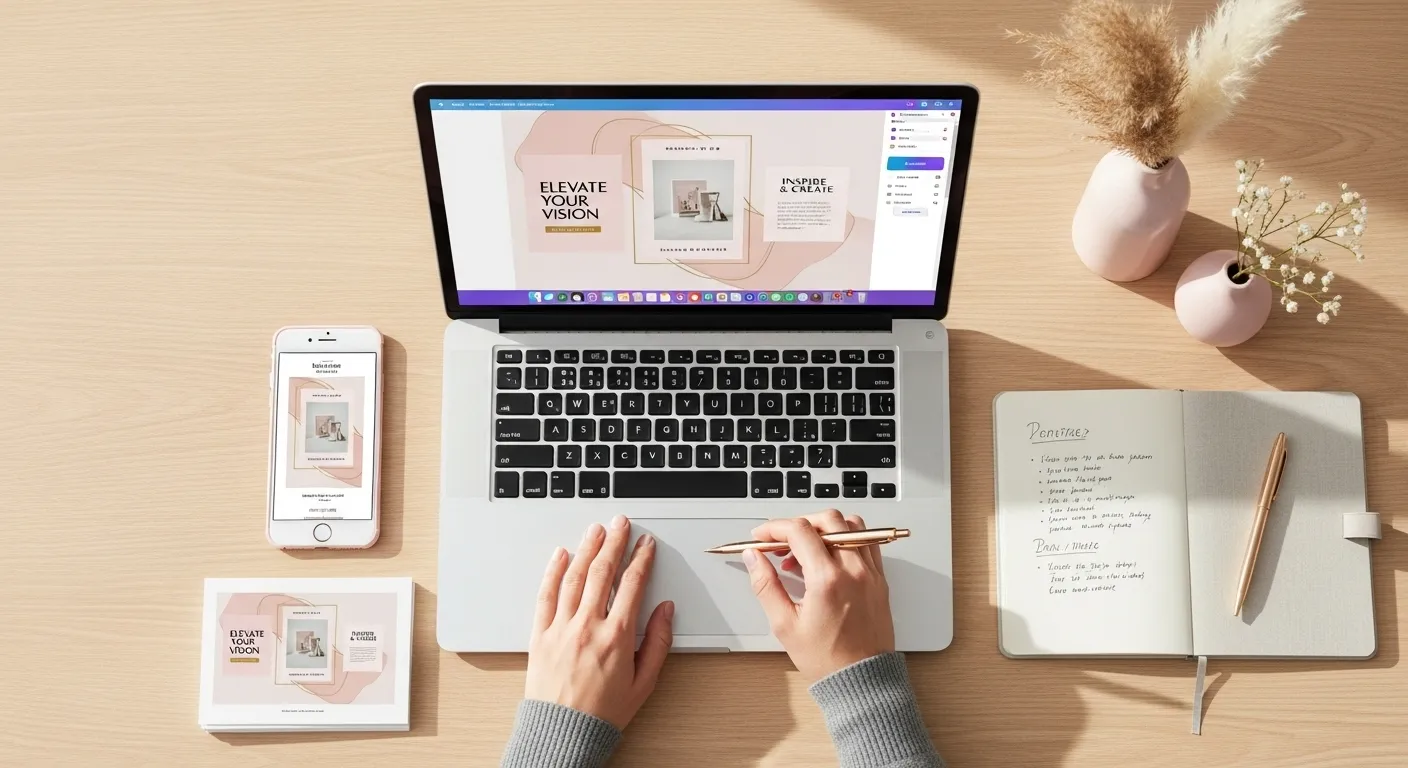
Your product listing is your salesperson. You need to create professional mockups that showcase your templates in action. Don’t just show screenshots of the Canva interface. Place your designs on mock phone screens, laptops, or print materials to help customers visualize the end result. Your description should be clear, concise, and use keywords your target audience would search for. Clearly explain what’s included, the dimensions, and how the delivery process works.
Step 6: Market Your Templates Like a Pro
Once your shop is live, it’s time to spread the word. Pinterest is a powerhouse for template sellers. Create beautiful pins showcasing your designs and link them directly to your product listings. You can also use Instagram to share your design process, offer tips, and build a community around your brand. Over time, you can explore content marketing, like starting a blog or an email list, to build authority and a loyal following.
A Quick Note on Legalities
It’s crucial to understand Canva’s licensing. You can sell templates created on Canva, but you must use their content appropriately. The core rule is that you’re selling a Canva template link. Your design must be an original creation, not a simple resale of an existing Canva template. Always use free photos and elements, or if you use Pro content, ensure your customers know they’ll need a Pro account to use the template without watermarks. I recommend reading Canva’s official licensing terms to ensure you’re always in compliance.
Your Journey Starts Now
Selling Canva templates is one of the most accessible and rewarding online businesses you can start today. It combines creative passion with a proven, scalable business model. It takes work to find your niche and create high-quality products, but the potential for passive income and creative freedom is immense. Start with one product, learn from the process, and build from there. I’m excited to see what you create.